

Overview
Uptime depends on how fast a failure reaches you. Spirii Connect gives you two ways to find out: a list you can work through, and an email for when nobody is looking at the list.The Monitoring list
Everything currently offline or faulted, with the error codes the hardware sent and the tools to act on each one.
Alerts
An email when a charge box goes offline or an EVSE reports a fault, anywhere in your network.
The Monitoring list
Find it in Connect under Operations → Monitoring. It lists every charge box currently offline and every EVSE currently in a faulted state, along with the error code and any information message the charge box has sent, and when each was last checked.Offline and faulted are different things
Connectivity belongs to the charge box; fault state belongs to the EVSE. A charge box that has gone offline has stopped talking to the platform. The last status you have is the last one it managed to send. A faulted EVSE is different: its charge box is still connected and actively reporting a problem, which is why it can hand you an error code and a message.Who sees what
The list respects the customer hierarchy. Use impersonation to narrow the view to a single customer’s sites. Editors see the Monitoring list for the locations they have access to.Acting on a row
Each row carries the tools for that charge box or EVSE: remote commands, the OCPP logs, its configuration, and its status and connectivity history. The list is where you find the problem; those tools are where you work out what happened and act on it.Alerts
Alerts turn the Monitoring list into something that reaches you. You create one in Connect under Settings → Alerts, where each alert is a notification you subscribe to.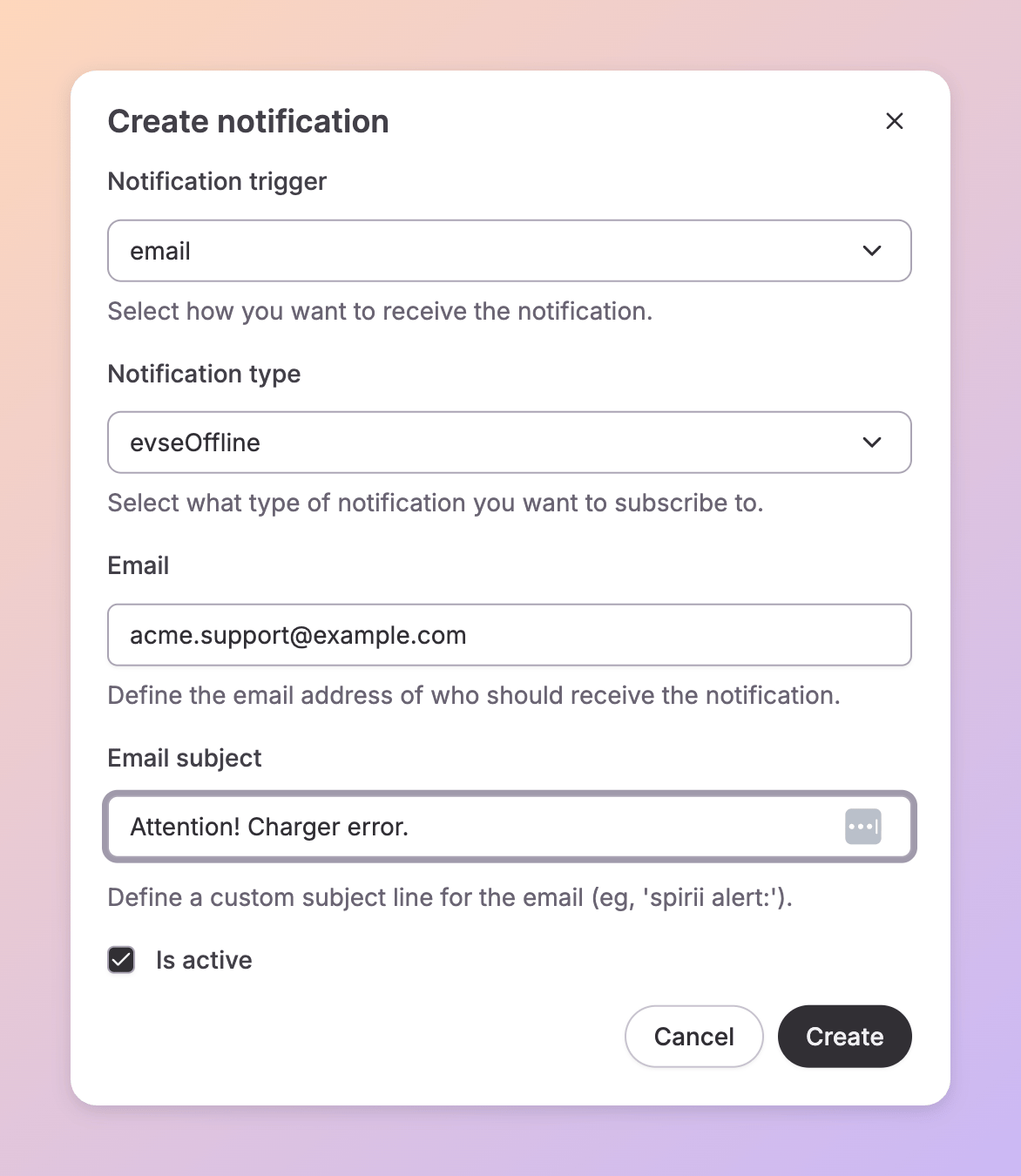
The trigger is the delivery channel, not the fault condition. The condition itself lives in Notification type, and that list carries other notifications alongside the charger ones.
The subject line is what you scan when three arrive at once.
Charger offline — Munich DC Hub beats a generic line. The recipient does not have to be you: a shared operations inbox works.
What fires, and when
An alert fires when a charge box goes offline or an EVSE reports a fault, anywhere in your network. A delay before sending means a charge box that drops and recovers within a few minutes never produces an email. That keeps a flapping connection out of your inbox, and every alert you do receive represents a fault that has persisted. Alerts tell you when a fault is registered. The Monitoring list tells you what is affected right now — a charge box that has recovered drops off it.Dependencies & limitations
- Alerts are network-wide. A notification covers every charge box and every EVSE under your account, with no per-location scope. To watch a single site, filter the Monitoring list or narrow it with impersonation.
- An offline charge box carries no error code. It stopped reporting before it could send one. You get its connectivity and last-known status, and nothing more.
- Brief interruptions never reach your inbox. A charge box that drops and recovers inside the delay window produces no email. Its connectivity history still records the drop.
Related
Once you have found a fault, remote commands are where you act on it.Remote commands
Resetting, rebooting, unlocking, and the rest of what you can send to a charge box.
Live status tracking
The live view across every connector, faulted or not.
Charge boxes
What a charge box is, and how it relates to the EVSEs it holds.
EVSEs
What an EVSE is, and why the fault sits on it rather than on the charge box.
User management
Which roles in your organisation can reach the Operations area.