

Overview
Charging is a sale, and a sale needs a document. Since the EU’s Alternative Fuels Infrastructure Regulation (AFIR) put payment terminals on public chargers, that document has to reach drivers who never opened an app and never signed up for anything. Getting that right is fiddly. What belongs on the document depends on who took the payment, which country the session happened in, and whether it will be invoiced later. The platform works that out for each session, generates the document, and makes it reachable without an account. None of that logic is yours to build or maintain.Receipts and statements
Which document a driver gets follows who took the payment: Spirii through an app, a point-of-sale (POS) terminal at the charger, or an invoice raised afterwards.
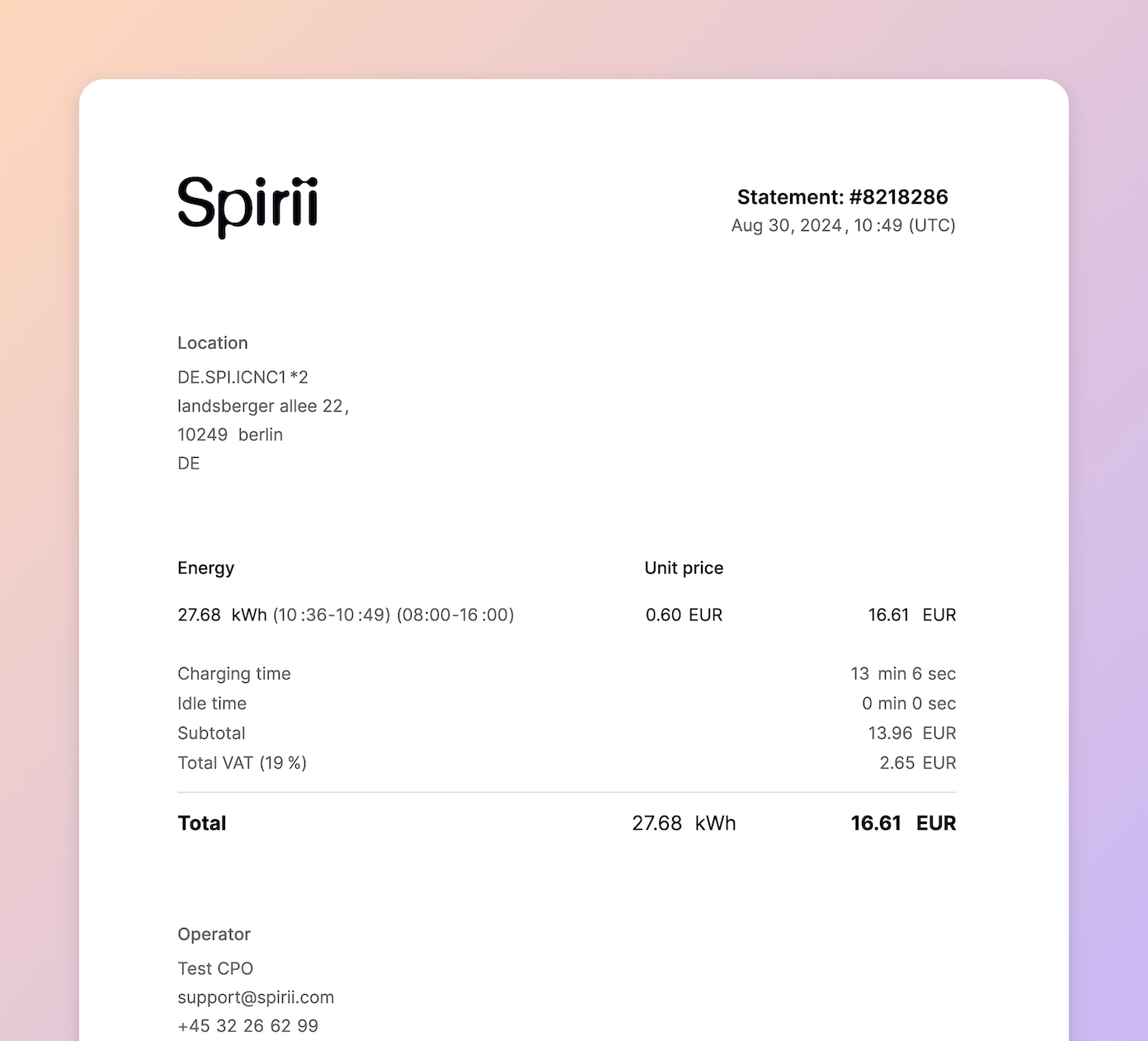
One principle sits behind the table. Where the driver paid at the moment of charging, the document is a receipt and carries the VAT of whoever took that payment. Where the session is invoiced afterwards, as roaming and charge key consumption are, the invoice is the VAT document and the statement carries none.
For card and phone payments on a Spirii POS terminal, the merchant details come from the terminal’s own merchant record, so the receipt names whoever actually took the payment. See In-person payments for how that is set up.
What a receipt contains
Finding a receipt
In the app. App users get their charging history and receipts in Spirii Go or a branded app. At a link. Every session has its own receipt page, reachable without an account. This is what makes contactless charging work: a QR code on the terminal screen when the session ends, or a link sent by email or text. You can retrieve any session’s link yourself. Both the Ongoing sessions and Charge records tables in Spirii Connect carry a detailed receipt button beside each row’s total price, available to the roles that can view session data. That is how you get a receipt to a driver who has lost theirs. On an invoice. Charge key and roaming consumption is invoiced, and that invoice is the document for VAT reporting.A receipt link is not behind a login, because an anonymous driver has no account to sign in to. Treat the link as you would any other link that exposes a single transaction.
Custom receipt text
You can add your own text to the bottom of a receipt. You set it on the customer, and it appears on receipts for sessions at every location that customer owns. Three things it gets used for:- Compliance wording. Some public bodies require specific language on receipts, which is what the field was built for.
- Support information. A number or address for a driver who needs help with a charge.
- An offer. A free coffee at the site shop, or a code to use elsewhere.
Questions about this charge? Call Rheinstrom support on +49 89 1234 5678. uses 73 of them. Only an Operator can set the text.
Because the text belongs to a customer rather than to a location, an operator working across several markets sets up a customer per market or business unit and gives each one its own wording. That is also how you handle language: the text is stored as you write it, so a French entity’s receipts carry French text.
Dependencies & limitations
- Custom text appears on receipts, not statements. Sessions paid by charge key, over roaming, or at a third-party terminal produce a statement, which does not carry it.
- One text per customer. There is a single field, so different wording for different markets means separate customers.
- 200 characters. Enough for a compliance line or a support contact, not for a paragraph.
- Third-party terminal sessions carry no VAT details. That provider handles the payment, so the statement records the session without VAT information.
- A receipt link is not authenticated. Anyone holding the link can see that session’s receipt.
Related
The text is set on the customer, so that is where to start.Customer management
Where custom receipt text is set, alongside a customer’s other details.
In-person payments
Terminals, merchants, and what appears on a receipt taken at the charger.
In-app payments
Payments taken in Spirii Go or a branded app, and the receipts they produce.
Billing and payout flows
How invoiced consumption is billed, and where VAT is reported for it.