

Overview
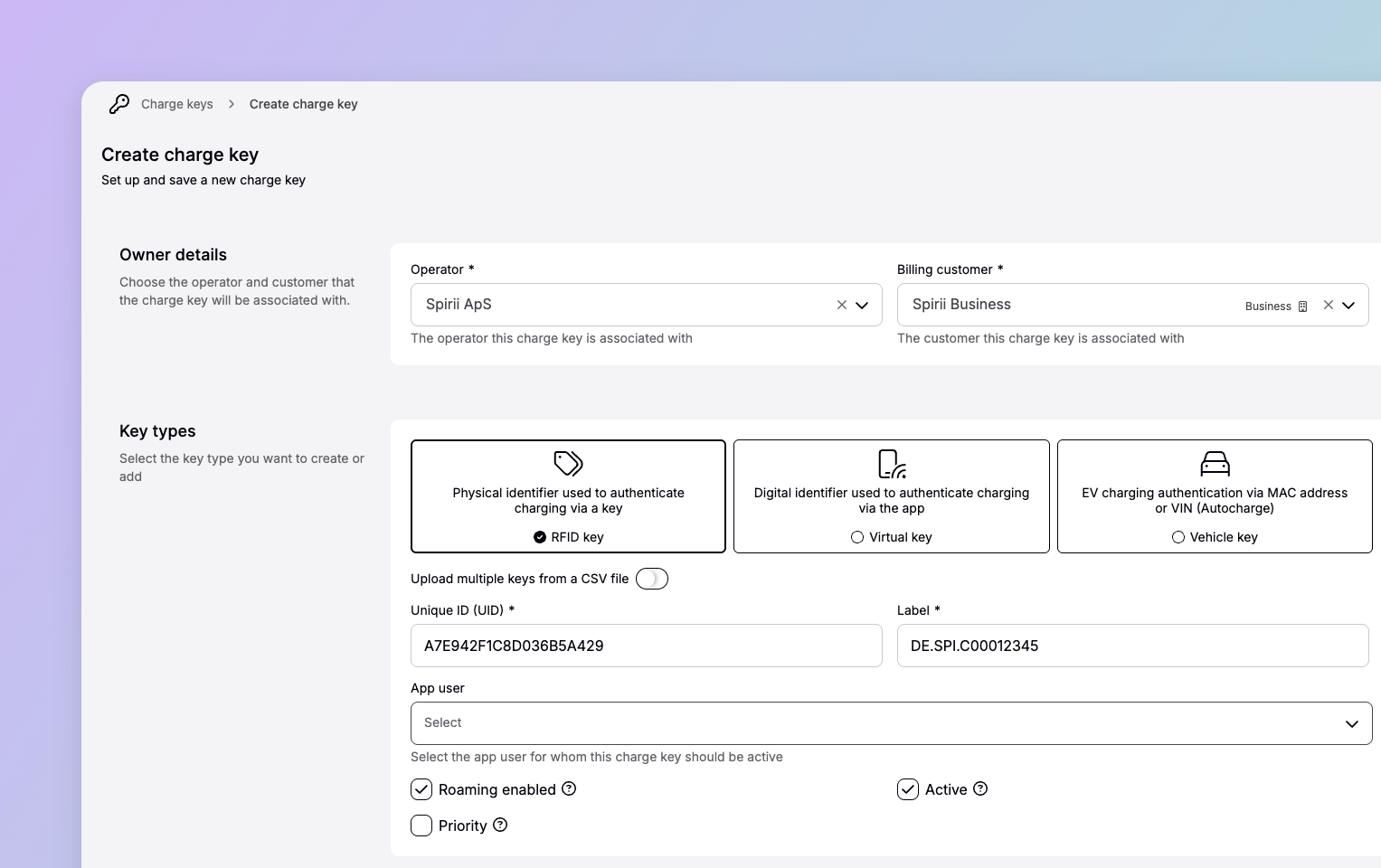
Charge keys are the central object for authenticating and authorising charging sessions: they define who is charging on a network and whether they’re allowed to. A charge key is an umbrella over several identification technologies: RFID cards, virtual identifiers in an app, and vehicle identification by MAC address or VIN (known as Autocharge). Over roaming, the charge key is what lets a driver authenticate across networks, and what links each CDR to the party that should be billed.In the API, charge keys are called tokens and charge key groups are called token groups — for example
GET /v2/tokens. The object is the same; only the name differs.Context
A charge key is primarily an eMSP object — it’s how a provider gives drivers access — but it works on both sides of a charge.eMSP context
For an eMSP, charge keys are how you identify your drivers and give them access to charge — on Spirii’s network, and over roaming across other networks too. You register and manage the charge keys, and the billing customer on each one determines who’s invoiced for its usage. For roaming, charge keys are exchanged with connected CPOs over hubs and direct integrations, so they must follow the roaming standard’s (OCPI) rules; we recommend eMI3 formatting likeDK.SPI.C{customerPrefix} to avoid interoperability issues.
CPO context
For a CPO, charge keys are a channel to sell access to your infrastructure. When a driver presents a valid charge key at a public, online location, the platform authorises the session and handles the rest.Key attributes
Types and status
Types
Autocharge only works on chargers managed by Spirii’s platform, not over roaming. A driver relying on Autocharge won’t be recognised on other operators’ chargers.
Status
A charge key’s ability to start a session comes from two independent settings: Active (on Spirii’s CPO network) and Roaming (over roaming), so a charge key can have either, both, or neither. An expiry overrides both: once past itsExpires at date, a charge key can’t authorise sessions regardless of those settings.
Deleting a charge key is the third way it stops authorising. Deletion is a soft delete: the key is set inactive and can no longer start sessions, but its record stays in the platform rather than being removed. Deleting a charge key also unlinks the payment method from it. You can delete a charge key from its sidebar in Spirii Connect, which asks you to confirm first.
Used in
Roaming connection
Exchange charge keys with other networks over OCPI.
Tokens API
Register and manage charge keys programmatically.
Token groups API
Organise charge keys into groups for shared access and billing.