

Overview
A customer is a business or private entity in your network. The Customers component covers what a customer is and the two sides it can represent: a site owner whose chargers you operate, or a fleet operator whose drivers you serve. This page is how you create and manage them. Two things make customers more than a contact list. They form a hierarchy (each customer has an owner, and owners can sit above other customers), and that hierarchy is what several parts of the platform lean on: it sets the boundary of a user’s data access in Team Access, it records which customer owns each location, and it’s the structure billing and payouts resolve through. You manage customers on the Customers page in Spirii Connect, as an Operator or Editor, or through the Customers API.The customer hierarchy
Every customer has an owner. You can own a customer directly, or place it under a subsidiary or one of your business customers, and those relationships build the tree that mirrors how your business is structured, whether that’s site owners beneath a CPO, sub-operators under a country-level operator, or fleets under an eMSP. One rule constrains the shape: a private customer can’t own other customers. A user’s company and its place in the hierarchy decide whose data they can see; a location is owned by a customer somewhere in it; and financial flows follow it.Creating a customer
Only Operators can create customers. If you’re setting up a location that you don’t own directly, create its customer first so you can assign it as the owner.1
Set the owner
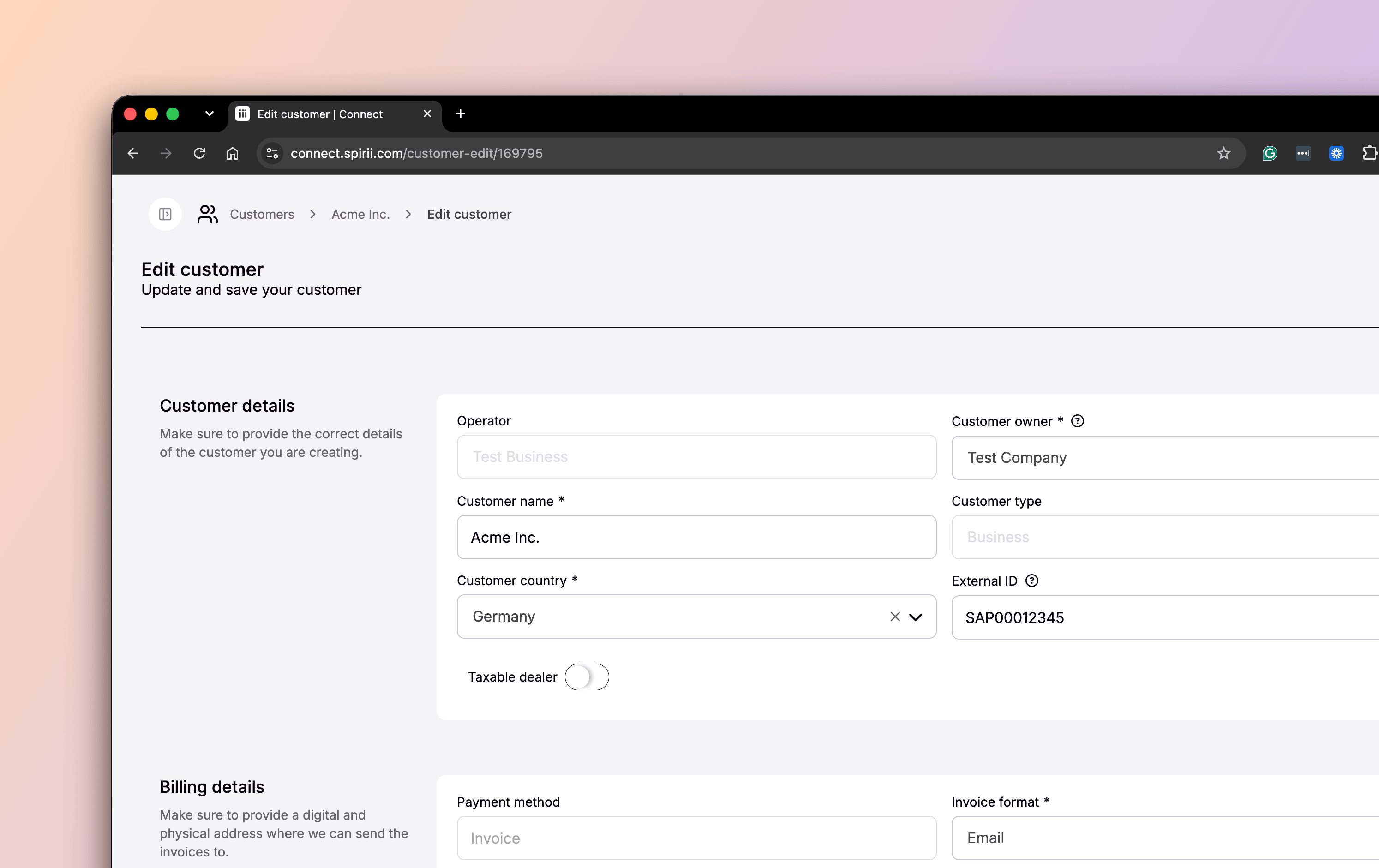
Every customer needs an owner: you, a subsidiary, or one of your business customers. This is what places the customer in the hierarchy.
2
Add identity details
Give the customer a name (a company name for a business customer such as Acme Inc., a person’s full name for a private one), a type (business or private), and an origin country (a customer belongs to one country). Use the external ID to carry your own reference for the customer into billing or internal systems.
3
Add a contact
Every customer needs a contact person Spirii can reach about invoicing or account matters. Customers created through onboarding flows have this filled in for you.
4
Add financial details, if they apply
If Spirii provides financial services to the operator that owns the customer, the billing and payout sections are required: billing address and VAT number, invoice format, payout bank details, and the currency and language invoices are sent in. If no financial services are involved, these are optional and informative only.
Editing and deleting
You can edit almost any field on a customer after it’s created, from the overview table or the customer’s own page, with one exception: the payment method, which is fixed to invoice. Deleting is a soft delete, available to Operators, and only when a customer owns no locations and no other customers. That’s a deliberate guard: a customer with dependencies can’t be removed until they’re reassigned or cleared.Customers are kept in sync with the Spirii Business Platform, so deleting a customer in Connect deletes it in the Business Platform as well, and the other way round.
Dependencies & limitations
- Roles. Operators can create, edit, and delete customers; Editors can view and edit but not create or delete. Both can see the customers under their account.
- Every customer has an owner. A customer can’t exist outside the hierarchy, and a private customer can’t own other customers.
- Delete needs a clean customer. A customer can only be deleted once it owns no locations and no other customers.
- The payment method is fixed. Billing is by invoice and can’t be changed after creation.
- Orders live in the Business Platform, and agreements are shared with it. Orders aren’t managed from Connect. Agreements can be edited in Connect or the Business Platform. An owner change doesn’t cascade to either.
Related
Customers
What a customer is, and the two sides of the relationship it can represent.
Customers API
Create, read, update, and delete customers programmatically.
Team Access
How the customer hierarchy sets the boundary of a user’s data access.
Location configuration
Where a location is assigned to the customer that owns it.