> ## Documentation Index
> Fetch the complete documentation index at: https://docs.spirii.com/llms.txt
> Use this file to discover all available pages before exploring further.
# Data separation
> How the platform keeps each partner's data, and each driver's details, separate.
Every record in the platform belongs to an operator and a customer, and that pairing decides who can reach it. A user's role then decides what they can do with what they reach.
## Overview
Connect is a shared platform holding many operators' networks, their customers' sites, and their drivers' accounts. Keeping those apart is structural rather than configured, and it works on three boundaries:
| Boundary | What it separates | Set by |
| ------------- | ------------------------------------------- | ------------------------------------------------------------------------ |
| Hierarchy | Which records a user can reach at all | The customer their user belongs to, and its position beneath an operator |
| Role | What they can do with those records | One of eight roles |
| App ownership | Which drivers' personal details are visible | The app the driver signed up in |
This page describes how the three work together. Each is configured on its own page, linked below.
## The hierarchy boundary
Every location, tariff, voucher, token, and charge box is tied to a customer, and every customer sits somewhere beneath an operator. A Connect user reaches the records of their own customer and of any customers beneath it, and nothing else.
That means separation follows the shape of your business rather than a permissions list somebody maintains. A site owner sees their own sites. A regional entity sees the entities under it. An operator sees everything in its own tree and nothing in anyone else's. There is no way to grant a user access to data outside that boundary.
See [the customer hierarchy](/capabilities/account/customer-management#the-customer-hierarchy) for how it is structured, and [Team Access](/capabilities/account/user-management) for scoping a user within it.
## The role boundary
Reaching a record and being able to change it are separate questions. A user's role sets what they can do across everything they can see, from viewing only through to administering the platform.
Personal data follows the same role boundary as everything else, with two exceptions: the **Installer** and **Depot Manager** roles do not reach it. An installer commissioning a charge box on a customer's site works with the location and the hardware, not with the drivers who will use it.
See [Roles](/capabilities/account/roles) for the eight roles and what each can do.
## The app user boundary
A driver's personal details sit behind a boundary of their own, and it is set by the driver rather than by you.
When someone signs up in an app, they accept that app owner's terms and privacy notice. That agreement is with one specific party, so that party is who can see them. Only the operator whose app they signed up in reaches the record. Where an onboarding flow created the account, the customer behind that flow can reach it too, because the driver accepted their terms during the order.
The consent and the technical boundary are the same boundary. A driver who never agreed to anything with you does not appear in your Connect, even when they charge on your chargers — their sessions arrive attributed to an anonymised identifier instead.
See [App users](/components/access/app-users) for what the record holds and who can manage it.
## Spirii's own access
The boundaries above separate partners from one another. Spirii sits outside them: a Spirii administrator can reach all platform data, which is what allows support to investigate a fault, reconnect a token to a driver, or recover something that was removed.
Work a Spirii administrator does in Connect is written to the change history against their own user, the same as anyone else's.
## When a token crosses a boundary
The boundaries can also disagree. A token can be associated with an app user, and the two do not have to belong to the same partner: `Rheinstrom GmbH` issues a token, and the driver holding it signed up in an app belonging to `Acme Inc.`
```mermaid theme={null}
flowchart LR
O1("Rheinstrom GmbH\nowns the token") --> T("Token")
T -.->|"association"| AU("App user")
O2("Acme Inc.\nowns the app") --> AU
```
The token itself holds no personal data, so the operator who owns it sees the token in full: its label, activation status, roaming status, and comment, and the fact that an app user is associated with it. What they cannot see is who that driver is.
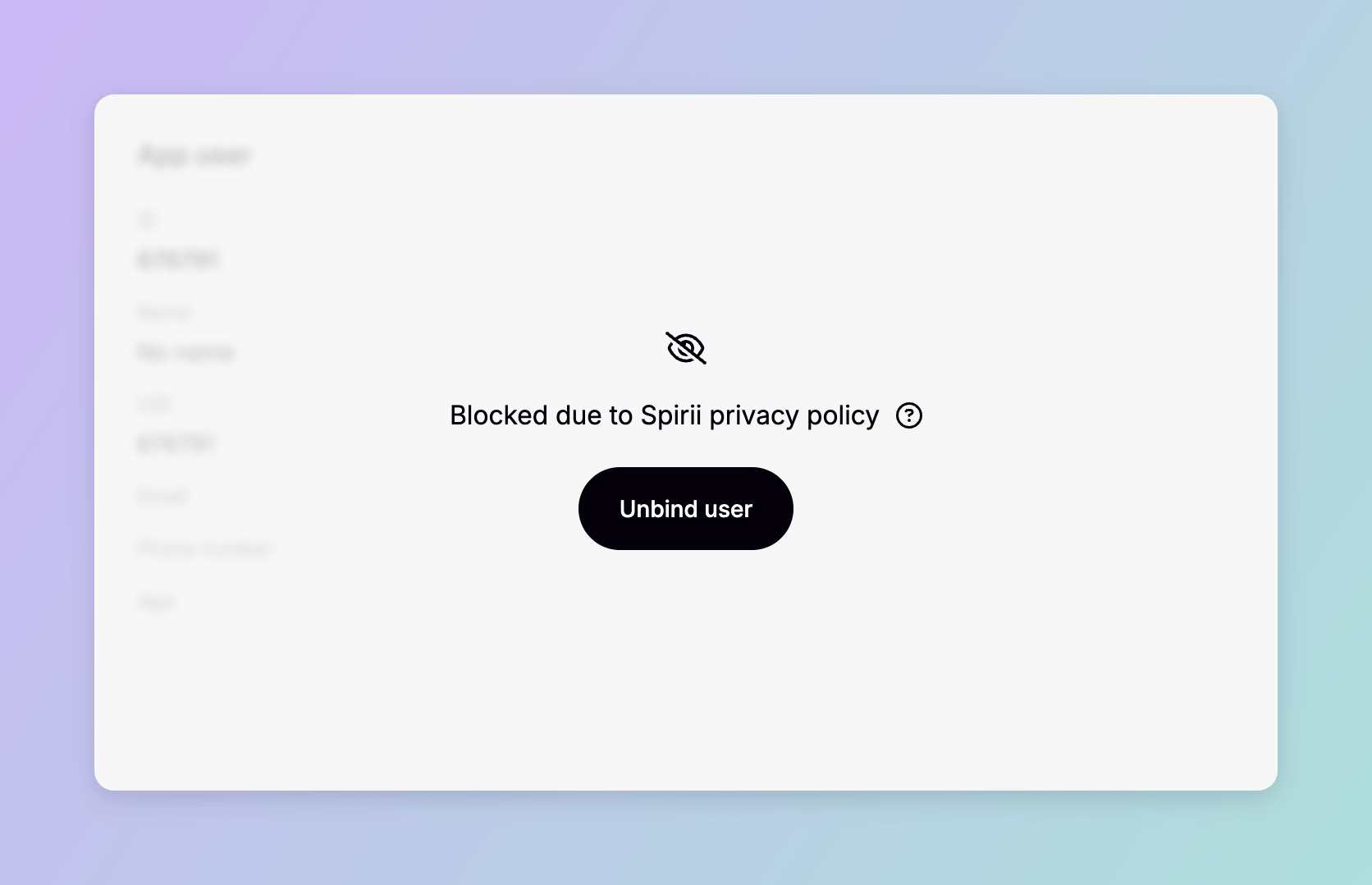
In the tokens table, the app user column reads **anonymised**. On the token's own page, the app user card is covered by an overlay reading **blocked due to Spirii privacy policy**, with a tooltip explaining that the app user bound to this charge key is not associated with your account.
 The boundary runs one way. An operator who owns the app user, but not the token, gets an error when they try to open the token: it is not associated with their account.
Either side can remove the association. The token's owner can take the driver off it from Connect, and so can the app user's owner — or the driver themselves, by removing the charge key in the app.
The token's owner cannot restore an association once it is removed, because reconnecting it needs access to the app user record they cannot see. Spirii support can reconnect them, so treat removing it as a one-way action on your side.
## Dependencies & limitations
* **Access cannot be granted outside the hierarchy.** A user reaches their own customer and those beneath it. There is no exception to configure.
* **Installer and Depot Manager roles do not reach personal data.** Every other role does, within its own data boundary.
* **App user records are visible to the app's owner.** A customer associated through an onboarding flow can reach them too. Nobody else can.
* **Removing a token's app user association is not reversible by the token's owner.** Either side can remove it; restoring it requires Spirii support.
## Related
To change who reaches what, start with the user's customer and role.
The hierarchy every record is tied to, and the boundary it creates.
Scoping a user to a customer, and the eight roles.
The driver record, and who is permitted to see it.
Charge keys, and how they associate with a driver.
The record of what was changed in Connect, and by whom.
The boundary runs one way. An operator who owns the app user, but not the token, gets an error when they try to open the token: it is not associated with their account.
Either side can remove the association. The token's owner can take the driver off it from Connect, and so can the app user's owner — or the driver themselves, by removing the charge key in the app.
The token's owner cannot restore an association once it is removed, because reconnecting it needs access to the app user record they cannot see. Spirii support can reconnect them, so treat removing it as a one-way action on your side.
## Dependencies & limitations
* **Access cannot be granted outside the hierarchy.** A user reaches their own customer and those beneath it. There is no exception to configure.
* **Installer and Depot Manager roles do not reach personal data.** Every other role does, within its own data boundary.
* **App user records are visible to the app's owner.** A customer associated through an onboarding flow can reach them too. Nobody else can.
* **Removing a token's app user association is not reversible by the token's owner.** Either side can remove it; restoring it requires Spirii support.
## Related
To change who reaches what, start with the user's customer and role.
The hierarchy every record is tied to, and the boundary it creates.
Scoping a user to a customer, and the eight roles.
The driver record, and who is permitted to see it.
Charge keys, and how they associate with a driver.
The record of what was changed in Connect, and by whom.